Virtual tags
Every dollar has an owner.
See spend by team, product, or any other dimension across Cloud, SaaS, and AI, ready for showback and chargeback. You build the rules from your own bills and apply them up to 12 months back.
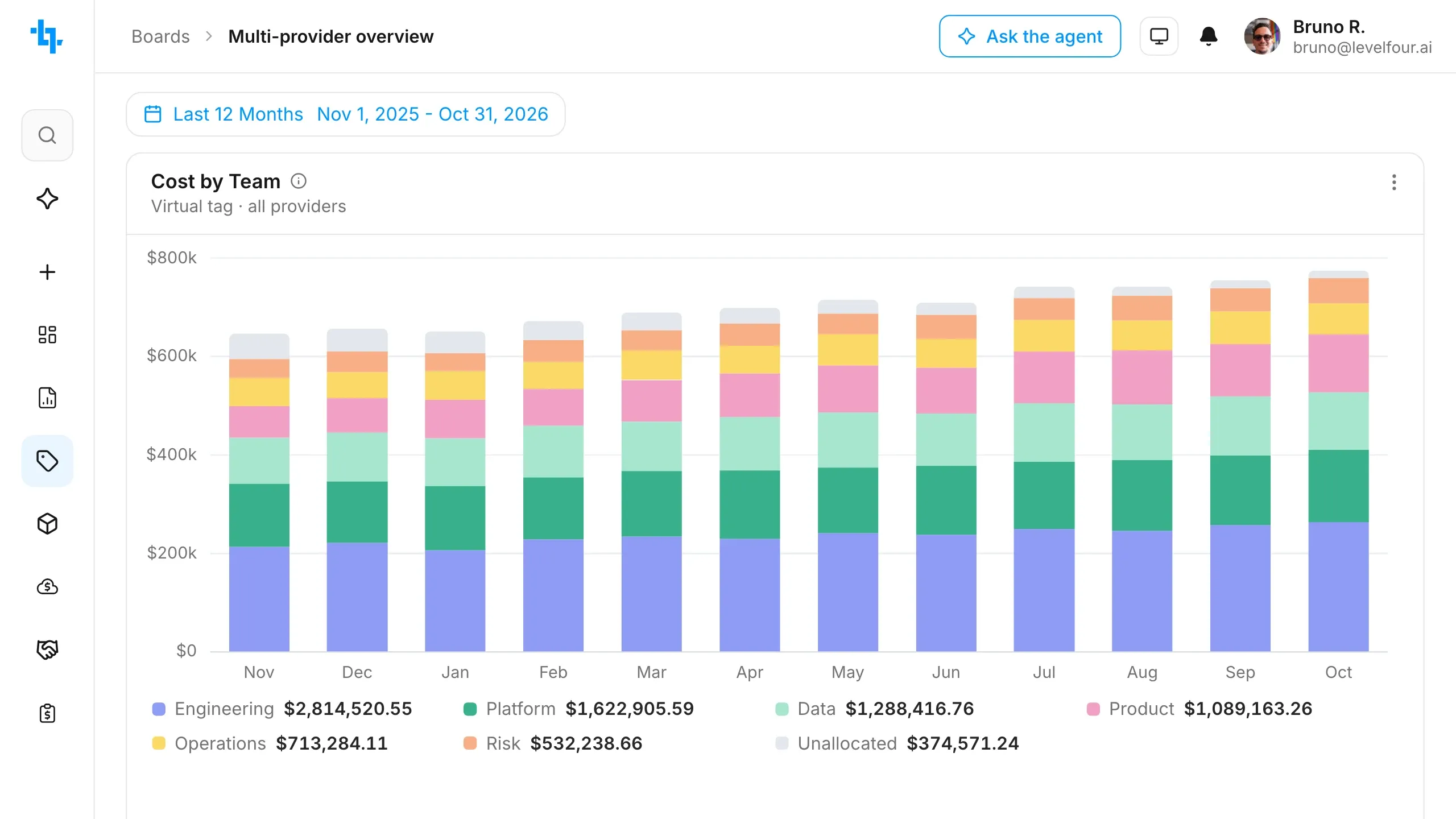
Cost allocation with no tagging project
Native tags stop at each provider, and plenty of spend never carries one: shared accounts, support fees, AI seats billed per person. Virtual tags read the bills instead, so finance gets one view of Cloud, SaaS, and AI spend and your engineers retag nothing.
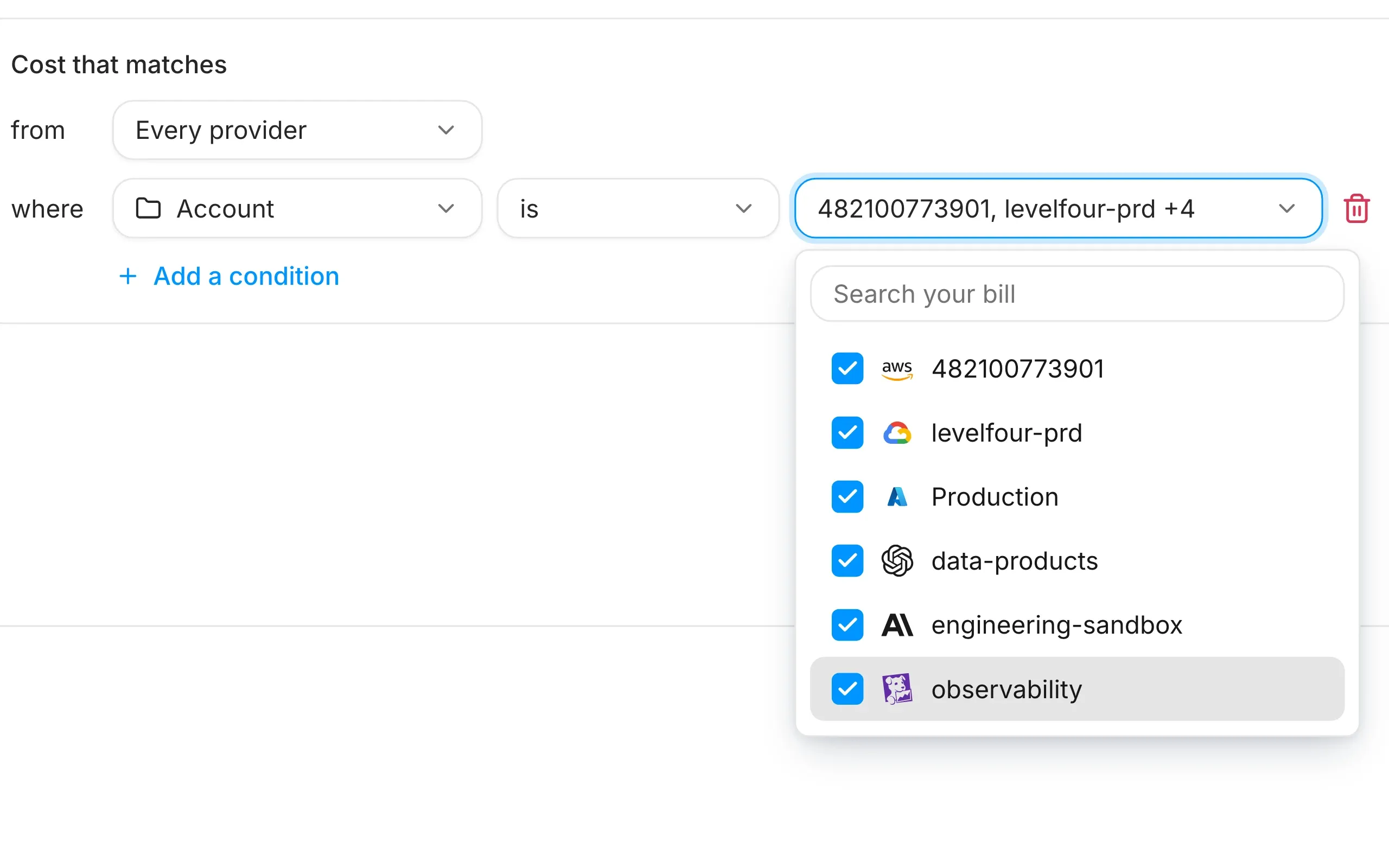
Build tags from your own bills
Define tag keys and values with rules, and fix tagging hygiene without waiting on engineering. You tick accounts, services, people and workloads off your providers' bills, and LevelFour runs each new cost line through your rules.
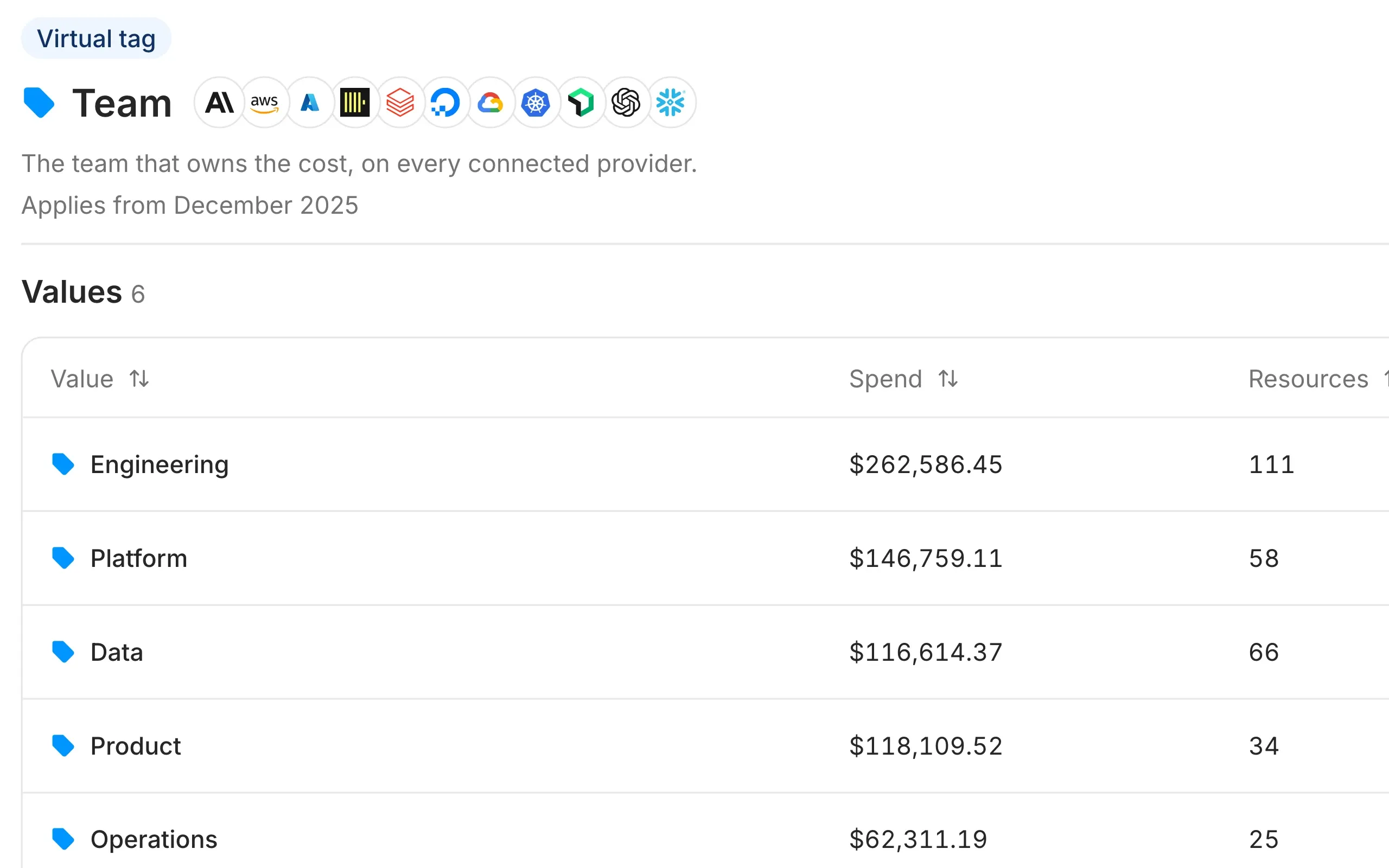
Unify tags across every provider
One tag covers your cloud bills, AI tools, data platforms and Kubernetes clusters, including providers with no native tags. A team's database, its pods and its AI seats land on one value, ready for showback and chargeback.
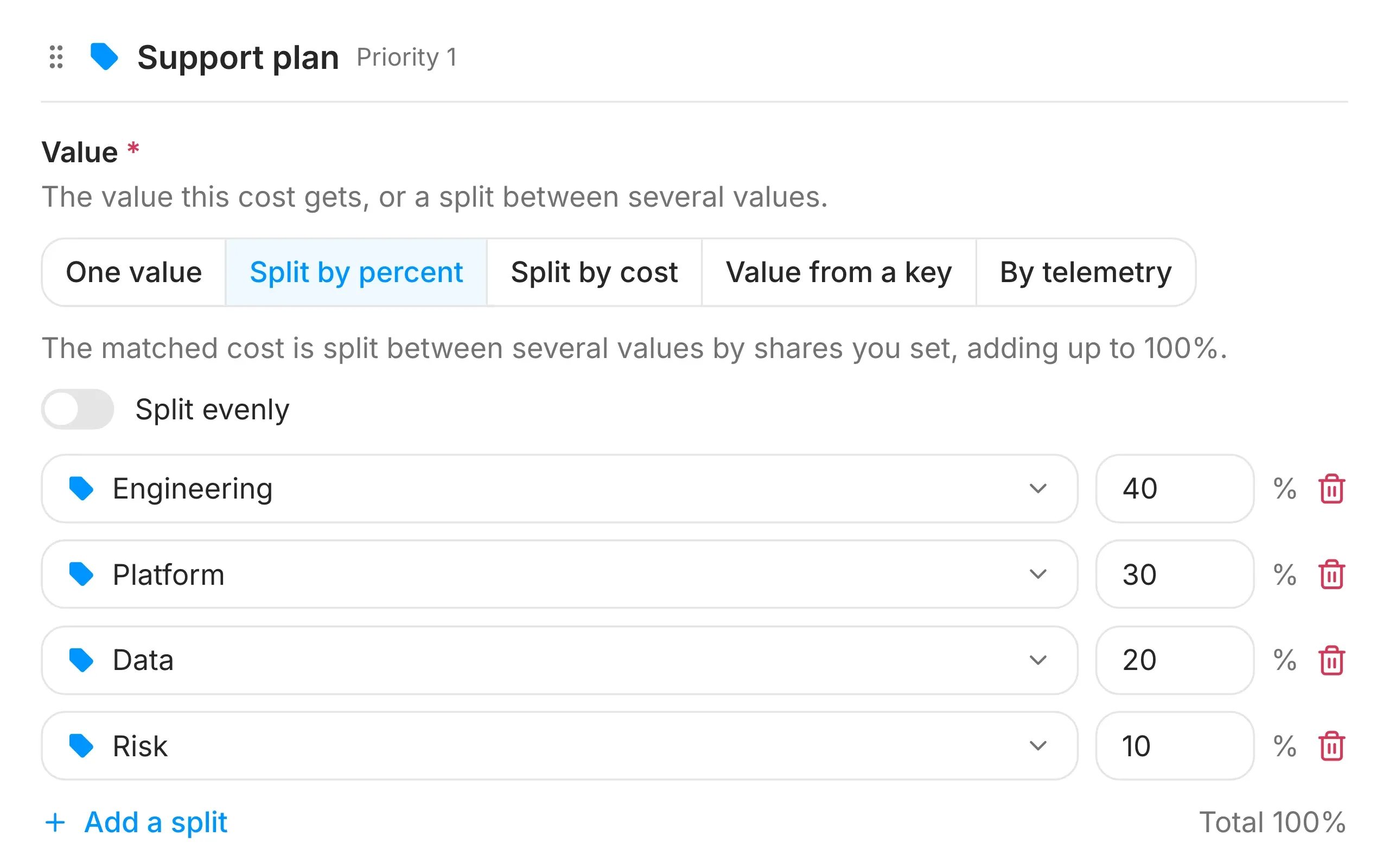
Re-allocate shared costs
Give each team its share of support plans, shared clusters and AI subscriptions. You split them by percent, evenly, the way another tag already divides cost, or by the usage you send.
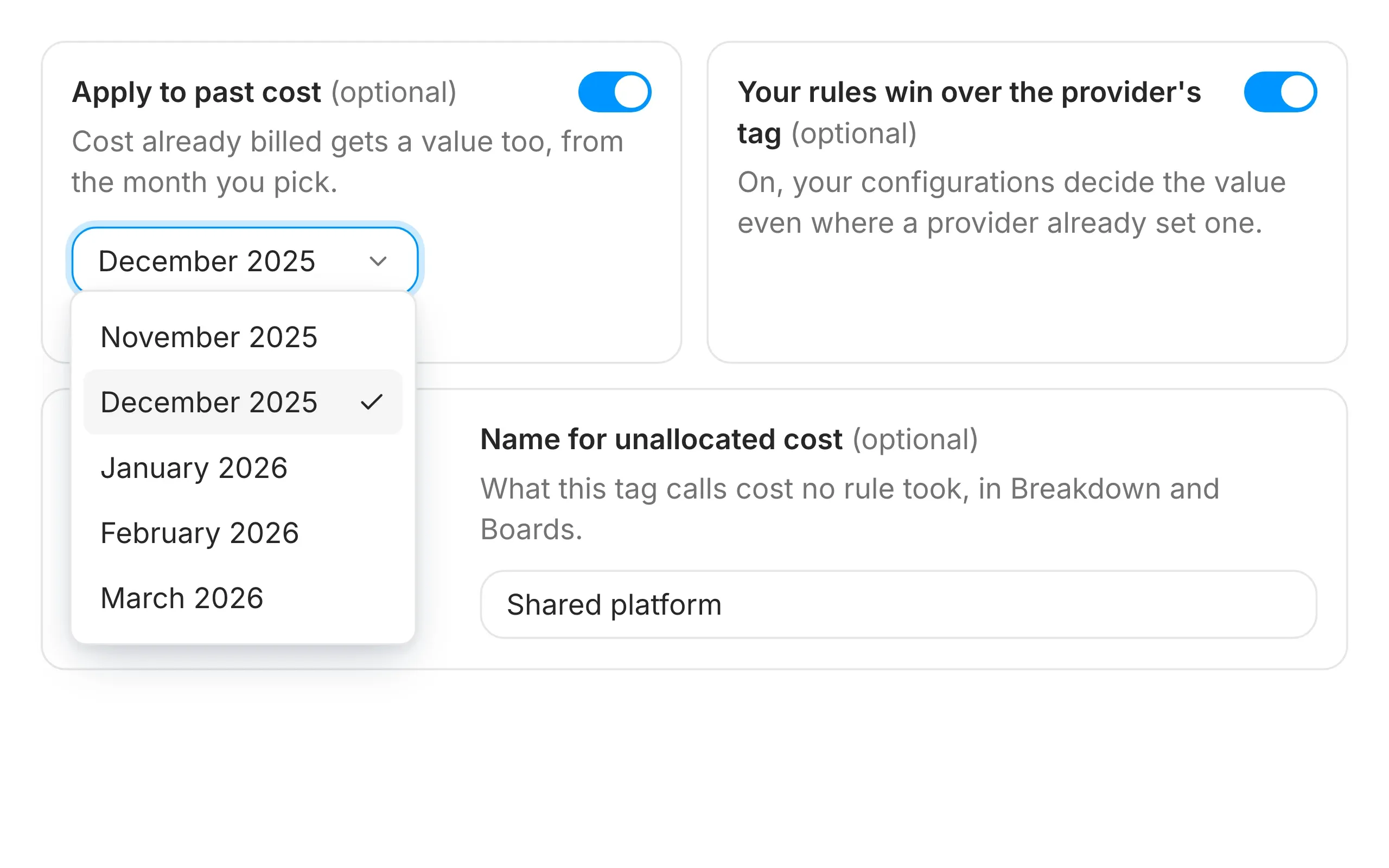
Back-fill history and override provider tags
Apply a new tag up to 12 months back, and your first report already shows a trend. If a provider tag and your rule disagree, you choose which one wins. You also name the line for cost no rule claims.
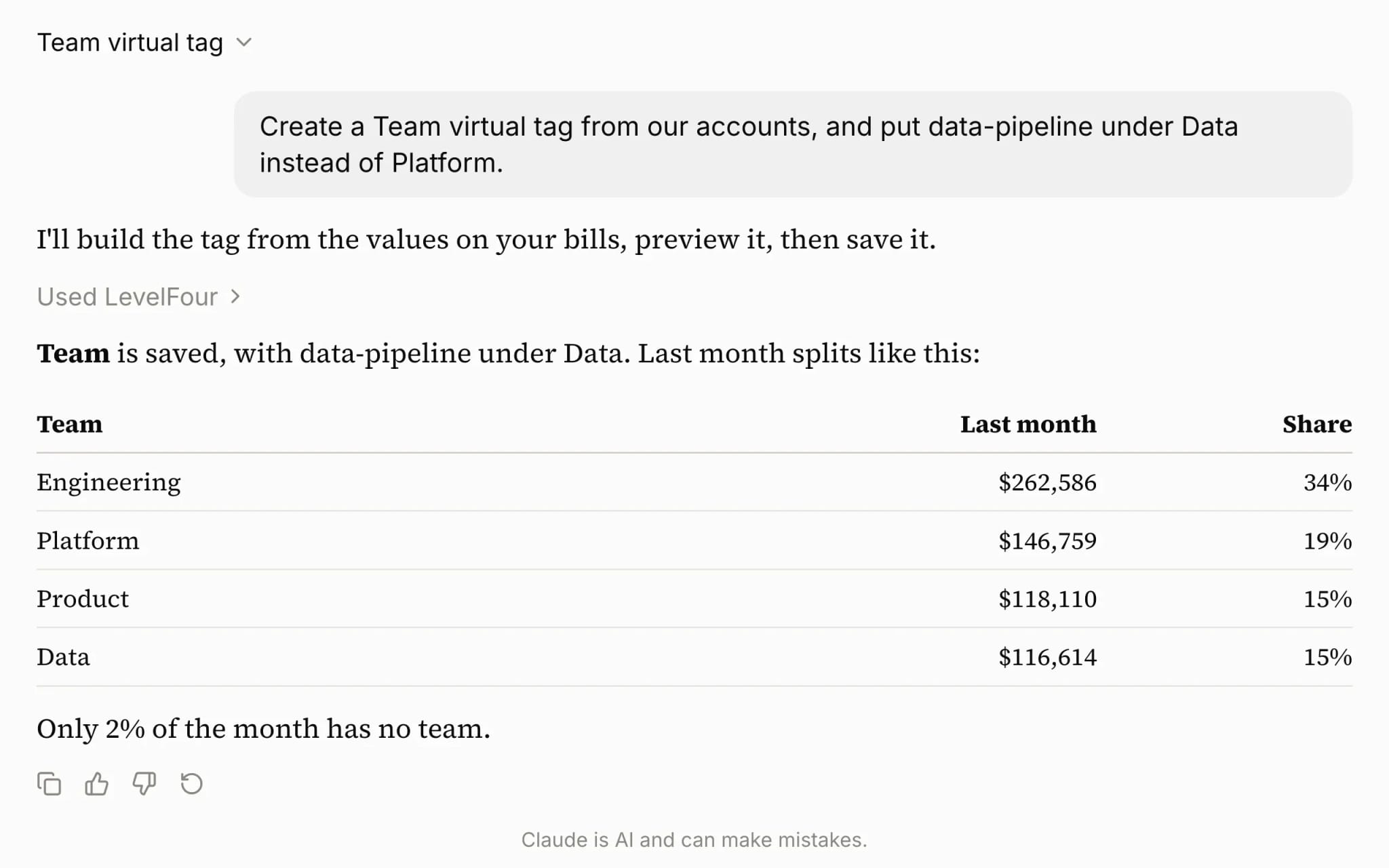
Create and edit tags with AI agents, over MCP
Ask an AI agent to create a tag, change a rule or rename a value. It picks from the values on your bills and previews the change before saving, so a new allocation takes one sentence.
See virtual tags over MCP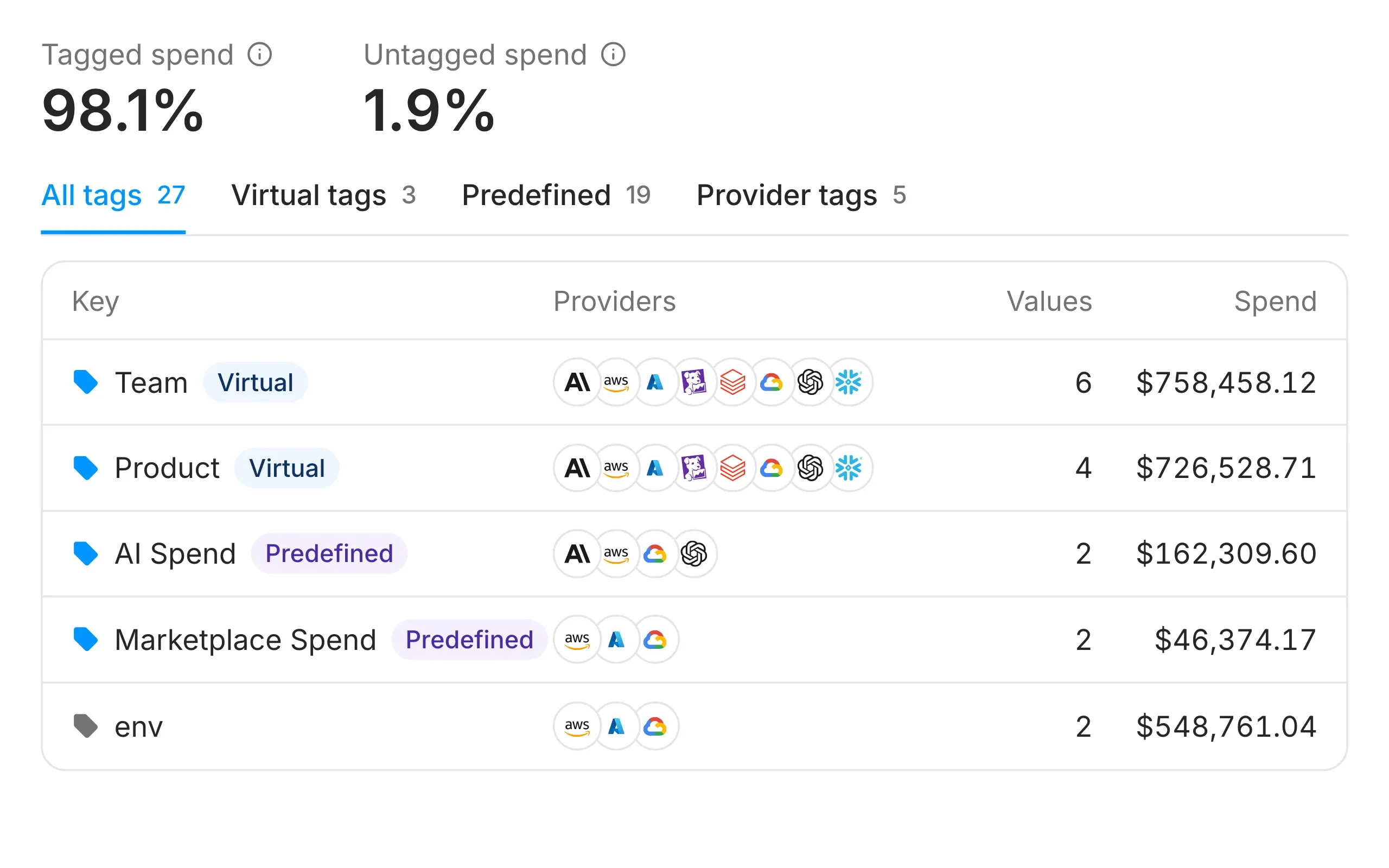
Track tagging coverage
See how much of your spend carries a tag and how much stays untagged, across provider and virtual tags. You also get 19 predefined tags, such as AI Spend and the FOCUS fields, before you write a rule.
Virtual tags documentation
The docs cover rules, splits and predefined tags. The API, the CLI and the SDKs read and write the same tags.
Read the docs